

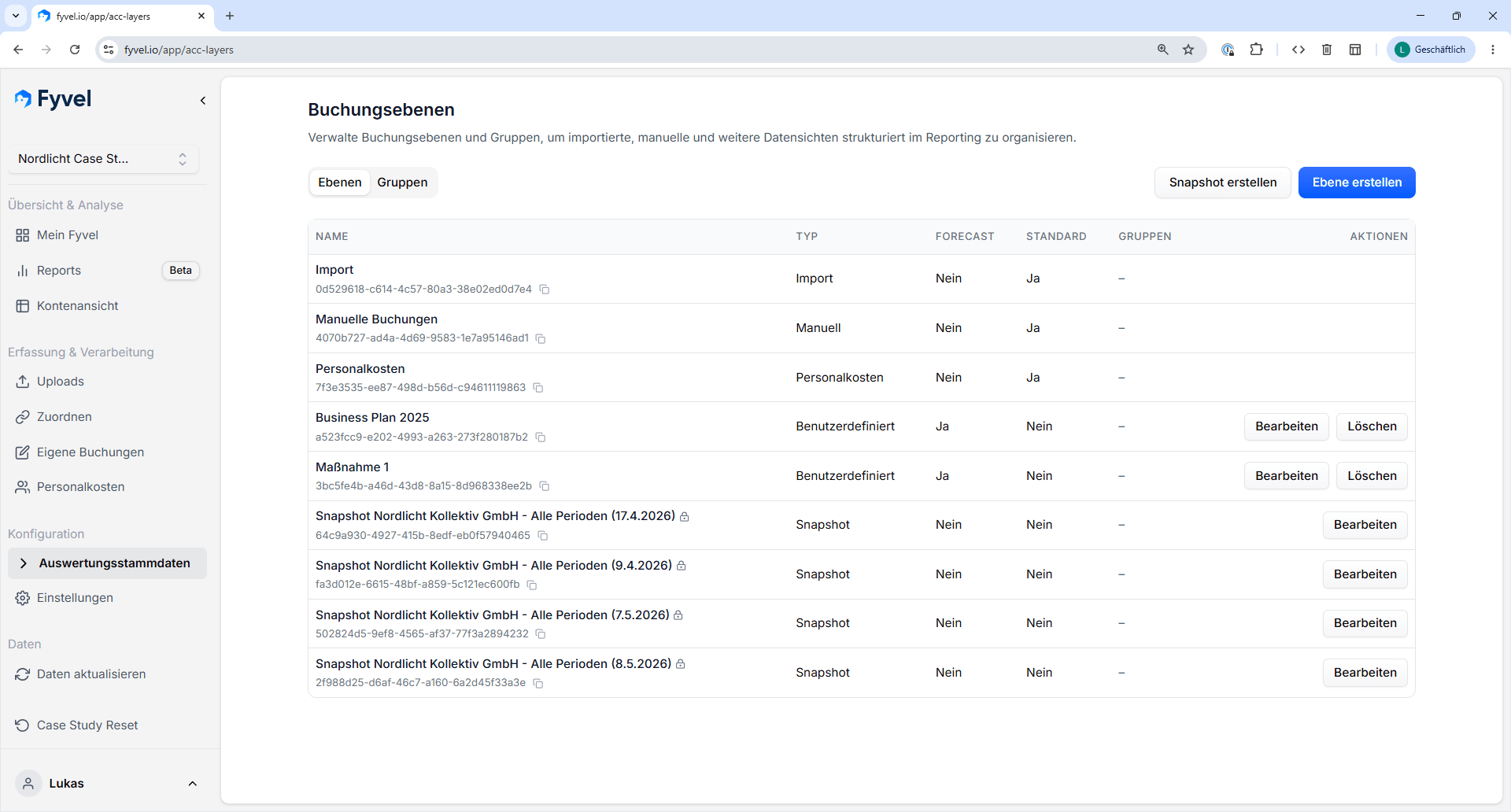
Overview of booking layers with type, forecast status, and snapshots
What booking layers are for
Booking layers are suited to, for example:- imported accounting values
- manual additions or corrections
- forecast-like values
- values from the personnel-cost logic
Upload values to booking layers
Booking layers can also be filled through the Excel add-in and the Google Sheets add-in. That way you can write values from a spreadsheet model back into a specific booking layer in Fyvel, for example for planning, forecast, or modelled additions. The guide is under Upload values to booking layers. Add-in setup is on Excel & Google add-ins.Why this helps
With booking layers you can:- keep actuals and internal additions separate
- manage different planning views side by side
- assemble reports flexibly for different audiences or occasions
Snapshots
A snapshot is a locked booking layer that freezes a specific set of figures. A snapshot does not store the underlying individual bookings. It stores the aggregated values at category and reporting-section level, including cost centers. That is especially useful when you want to:- keep the state when a plan is finalised
- compare changes since an earlier cutoff date
- document preliminary estimates