


Cost center overview with code, name, and description
What is a cost center?
A cost center is a numeric code that represents a department, a project, or a cost unit in your company. In accounting, cost centers assign bookings to specific areas. In Fyvel you can:- Name cost centers — give each code a readable label (for example code 5 → “Sales Berlin”).
- Store descriptions — optionally document what a cost center is for.
- Use names across the organisation — the stored names appear automatically in categories, personnel-cost splits, and filters.
Create a cost center
Click “Create cost center” and fill in: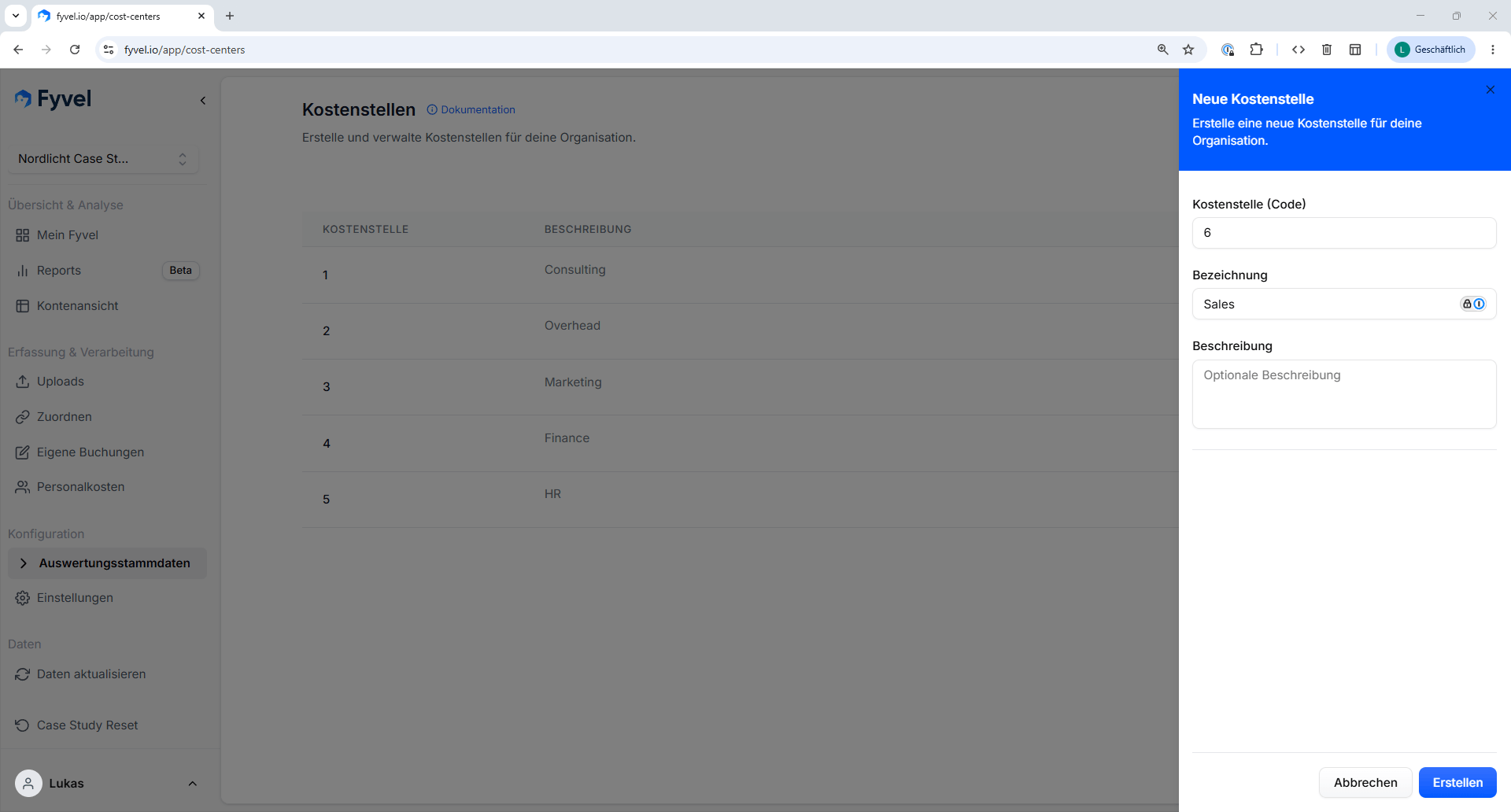
Dialog for creating a cost center
Edit and delete a cost center
Click the pencil icon in the table to edit a cost center. Use the trash icon to delete one.Where do cost-center names appear?
Once you have given a cost center a name, it is shown everywhere in Fyvel:- Categories — in the category list and in the cost-center filter, the name appears next to the code (for example “5 – Sales Berlin”).
- Personnel costs — in the cost-center split and in the default allocation, cost centers are listed with their name (for example “Sales Berlin: 60%”).
- Filters — in every filter that filters by cost center, the name appears so you can orient yourself.