Account view shows every booking for a specific account — similar to a digital account ledger. It is for checking and tracing your accounting data.

Choose an account

Use the dropdown at the top to choose the account whose bookings you want to see. Every account from your chart of accounts is available.
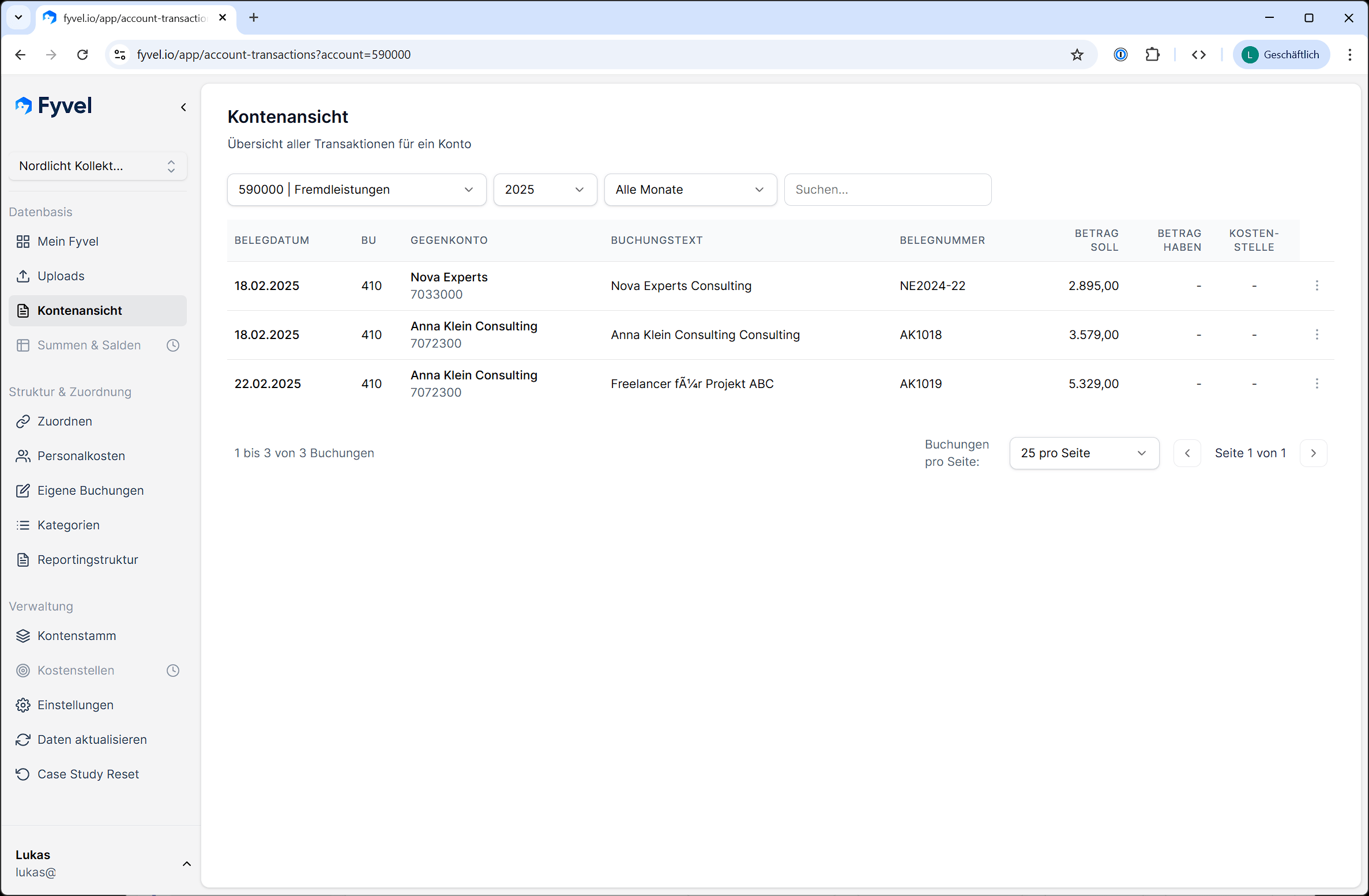
Account view in Fyvel with the account dropdown and a table of every booking on an account

Account view with account selection and booking table

Filter

View bookings

For each booking you see:
  • Booking date
  • Offset account
  • Posting text
  • Debit and credit amount
  • Document number
  • Cost center (if present)

Mark intercompany bookings

You can mark individual bookings as intercompany. That is useful when you want to distinguish internal and external revenue or costs in a report.

Note

Account view is read-only. You cannot edit or map bookings here. Use the Mapping page for that.