

How suggestions work
The AI model analyses your existing mappings — which bookings you assigned to which categories. From that it recognises patterns and suggests matching categories for new, unmapped bookings. For each booking with a suggestion you see:- The suggested category
- A confidence in percent — how sure the model is about this suggestion
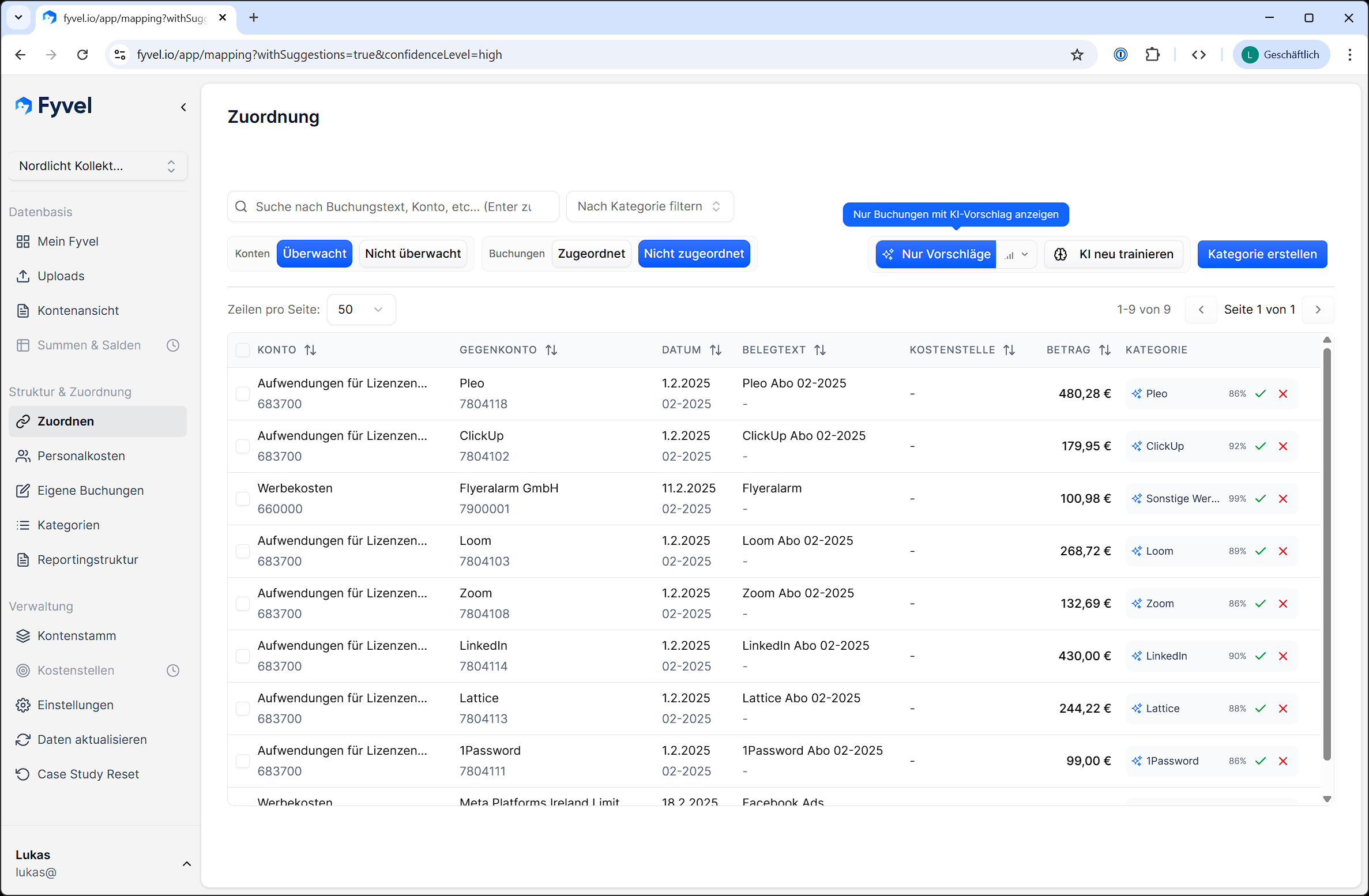
AI suggestions with category and confidence
Accept or decline suggestions
- Click the green check to accept a suggestion. The booking is assigned the suggested category.
- Click the red X to decline a suggestion.
- With a bulk selection (several bookings selected) you can accept or decline several suggestions at once.
Filter suggestions
Turn on the Suggestions filter to see bookings that have a suggestion. You can also set a minimum confidence — for example, show only suggestions above 80% confidence. That is useful when you want to clear the most certain suggestions first and finish many mappings quickly.Retrain the AI
Click “Train AI” to update the model with your current mappings. New suggestions will be available shortly. Do this after you have made many new mappings. The model learns from the new data and improves its suggestions.Tips
- The more bookings you map manually, the better the suggestions become.
- Retrain the model regularly after larger mapping rounds.
- Start with high-confidence suggestions (>80%). Those are usually reliable.
- Review low-confidence suggestions individually.