> ## Documentation Index
> Fetch the complete documentation index at: https://docs.fyvel.io/llms.txt
> Use this file to discover all available pages before exploring further.
# Account view
> Review and trace bookings per account
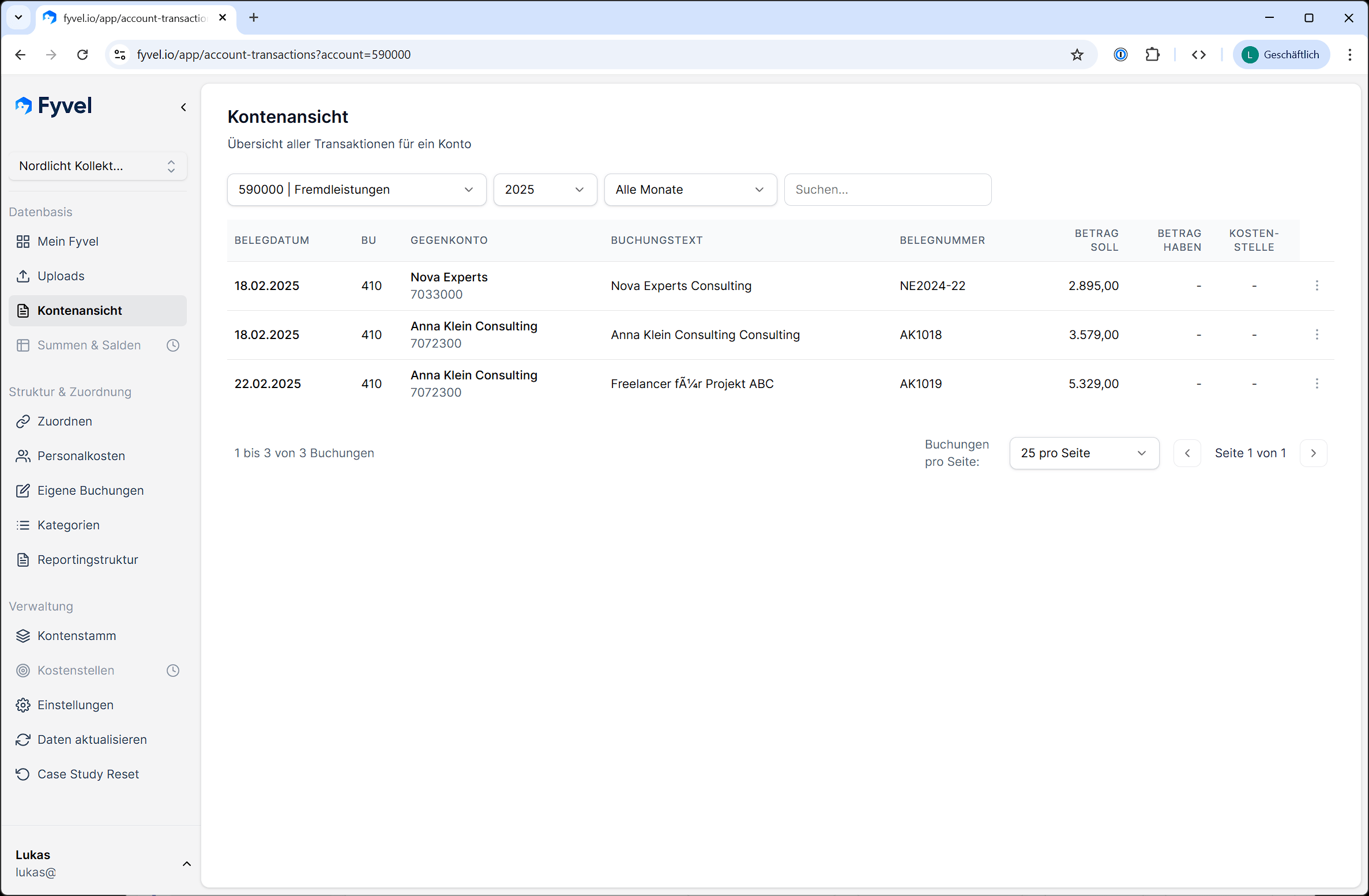
Account view shows every booking for a specific account — similar to a digital account ledger. It is for checking and tracing your accounting data.
### Choose an account
Use the dropdown at the top to choose the account whose bookings you want to see. Every account from your chart of accounts is available.
 ### Filter
| Filter | Description |
| - | - |
| **Year** | Limit the view to a specific fiscal year |
| **Month** | Filter to a specific month, or show every month |
| **Free-text search** | Search posting text, document numbers, and other fields |
### View bookings
For each booking you see:
* Booking date
* Offset account
* Posting text
* Debit and credit amount
* Document number
* Cost center (if present)
### Mark intercompany bookings
You can mark individual bookings as **intercompany**. That is useful when you want to distinguish internal and external revenue or costs in a report.
### Note
Account view is read-only. You cannot edit or map bookings here. Use the Mapping page for that.
***
This documentation is built and hosted on [Mintlify](https://mintlify.com), a developer documentation platform.
### Filter
| Filter | Description |
| - | - |
| **Year** | Limit the view to a specific fiscal year |
| **Month** | Filter to a specific month, or show every month |
| **Free-text search** | Search posting text, document numbers, and other fields |
### View bookings
For each booking you see:
* Booking date
* Offset account
* Posting text
* Debit and credit amount
* Document number
* Cost center (if present)
### Mark intercompany bookings
You can mark individual bookings as **intercompany**. That is useful when you want to distinguish internal and external revenue or costs in a report.
### Note
Account view is read-only. You cannot edit or map bookings here. Use the Mapping page for that.
***
This documentation is built and hosted on [Mintlify](https://mintlify.com), a developer documentation platform.